Google is expanding what its NotebookLM app can do on mobile devices, making it easier for users to turn dense documents into visually engaging AI-generated videos. The latest update allows the NotebookLM app on both Android and iOS to transform notes, PDFs, and study material into short narrated videos, offering a more visual way to absorb information on smaller screens.
NotebookLM has always focused on helping users work with their own documents using artificial intelligence. Until now, mobile users mainly relied on text summaries or audio explanations. With this new feature, Google is adding a visual layer that feels more natural for phone-based learning, especially when scrolling through long documents starts to feel tiring.
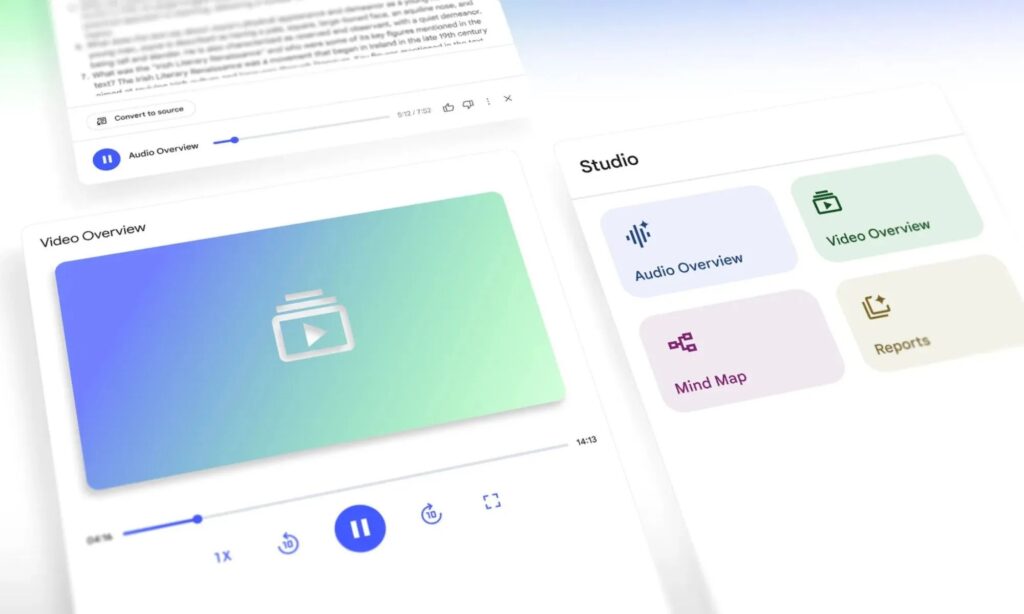
The new capability is part of a feature called Video Overviews, which is now rolling out to the mobile version of the app. These AI videos pull out key ideas from uploaded documents and present them using a mix of slides, highlights, diagrams, and voice narration. The goal is to make complex topics easier to understand without forcing users to read page after page of text.
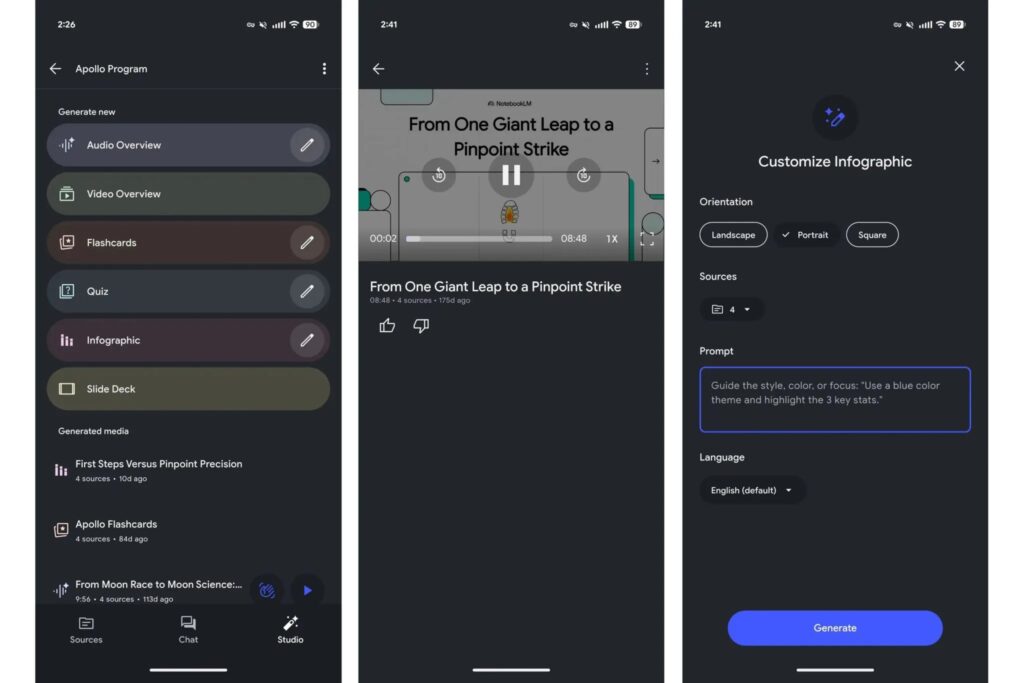
Inside the NotebookLM app, users can generate these Video Overviews by heading to the Studio tab. From there, the AI analyzes the selected sources and creates a short video that explains the main points in a structured and easy-to-follow format. This makes NotebookLM especially useful for students, researchers, and professionals who want quick clarity while on the move.
Google has also added the option to replay previously generated AI videos directly within the mobile app. Playback speed controls are available on both Android and iOS, letting users slow things down for detailed review or speed things up for a quick refresher.
Beyond videos, NotebookLM is gaining deeper customization tools for other visual formats. Infographics can now be edited directly in the mobile app by tapping a new pencil icon. Users can choose between Landscape, Portrait, or Square layouts and decide which sources the AI should reference. Just like the web version, it is also possible to set the output language and add a custom prompt before generating the final visual.
According to reporting from 9to5Google, Google is also working on new controls for Slide Decks, although they have not fully rolled out yet. Once available, users will be able to select between a Detailed format, where slides include full explanations, and a Presenter format designed for cleaner visuals that support live presentations.
Additional options will allow users to adjust slide length, switch languages, and guide tone and structure using custom prompts. These changes suggest that Google is positioning NotebookLM as more than just a research assistant, turning it into a flexible tool for presentations, studying, and content creation.
This update builds on a steady stream of improvements to NotebookLM over recent months. Google has already introduced features that let users ask Gemini-powered questions directly about their notebooks, convert notes into AI-generated podcasts, and create flashcards and quizzes for studying on the go. More recently, Google hinted that NotebookLM could eventually turn study notes into classroom-style lectures.
The NotebookLM mobile update reflects a broader shift toward visual and interactive learning, especially on smartphones. By combining documents, AI narration, and customizable visuals, Google is making it easier for users to understand complex material without being tied to a desktop or long reading sessions.
Users interested in learning more about how NotebookLM works can explore Google’s official overview at Google’s NotebookLM blog, where the company outlines how the app continues to evolve across platforms.