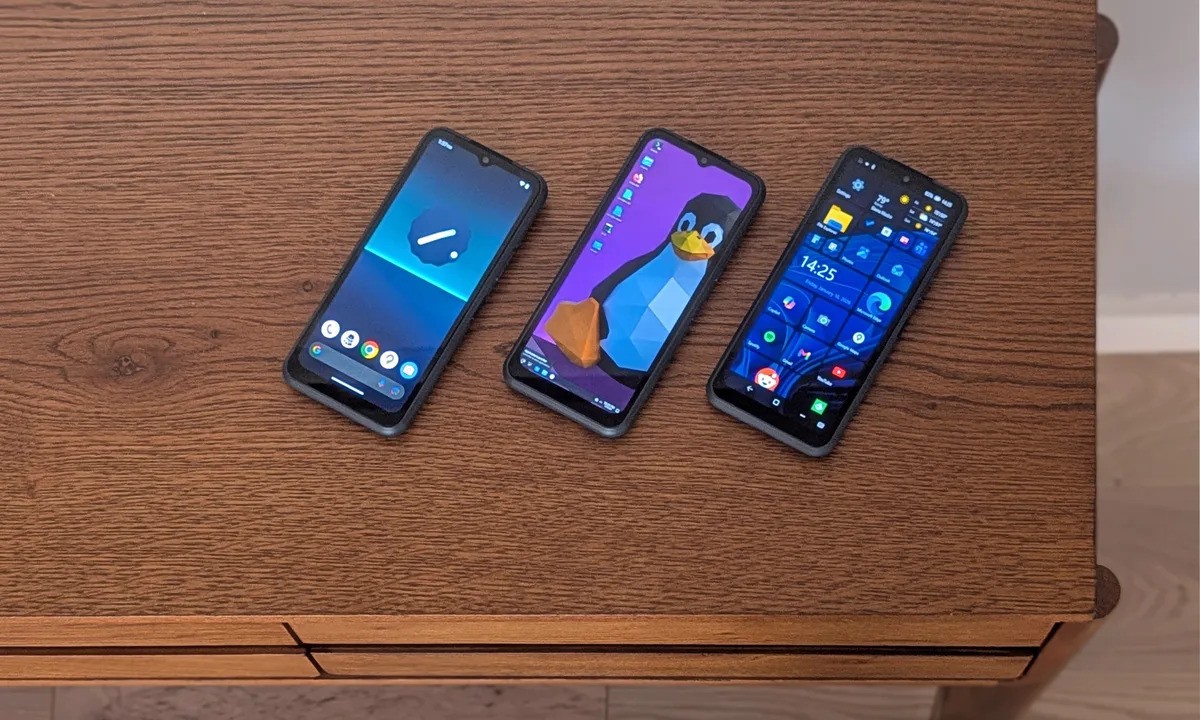
NexPhone is betting that flexibility is the reason people will choose its phone, especially if they already work with a monitor, keyboard, and mouse.
Built by the team behind the NexDock laptop shell, NexPhone is positioning itself as something more than just another Android handset. It is designed to function as a phone first, while also offering access to Linux tools and a full Windows desktop experience when plugged into a proper setup. The idea is simple: one device that adapts to how and where you work, without carrying a separate laptop.
At its core, NexPhone runs Android, handling everyday mobile tasks just like any other smartphone. Alongside that, it includes a Debian-based Linux environment and a separate Windows 11 option, giving users multiple ways to work depending on what they need at the moment. The pitch feels familiar to anyone who has used Samsung DeX, but NexPhone pushes the idea further by bringing native Windows support into the mix.
Reservations for NexPhone are currently open, with pricing set at $549. Buyers can secure a unit with a refundable $199 deposit, and shipping is expected to begin in the third quarter of 2026.
How NexPhone’s three modes actually work
Android is the default experience and covers standard phone use, including apps, calls, and messaging. When the phone is connected to a dock and an external display, Android shifts into a desktop-style interface that makes better use of larger screens and peripherals.
For users who need access to development tools or command-line utilities, NexPhone also offers a Debian Linux environment. This mode runs without requiring a full reboot, making it easier to jump into Linux-based tasks and then return to Android when finished.
Windows 11 is handled differently. To access it, the phone needs to reboot into a dedicated Windows partition. NexPhone describes this mode as a way to run desktop applications that are not available on Android or Linux. The company has also built a custom mobile interface to make Windows easier to navigate on smaller screens, though it expects most people to use Windows while connected to an external monitor.
The included hub makes the setup more practical
The entire concept depends on how easy it is to connect everything, and NexPhone seems aware of that. Each phone ships with a five-port USB-C hub, allowing users to plug in a monitor, keyboard, mouse, and other accessories without buying extra hardware.
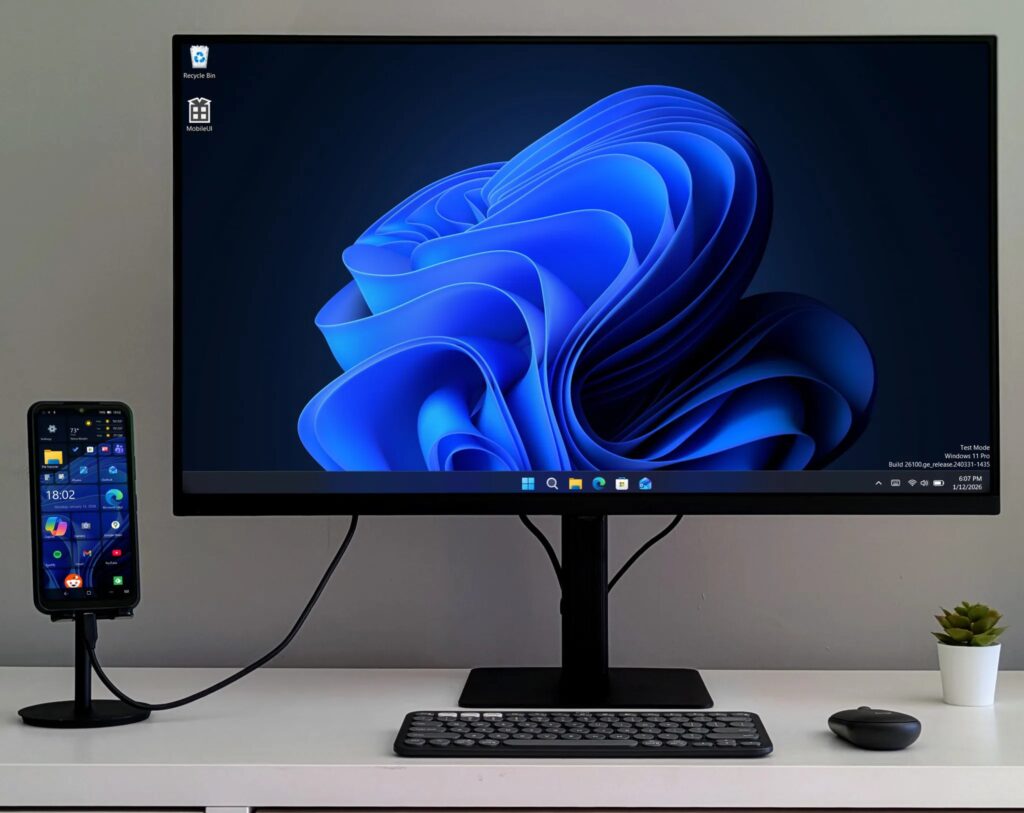
This bundled approach matters for anyone who already works at a desk with external displays. In that scenario, NexPhone can act as a compact desktop replacement. For users who rarely leave the phone’s built-in screen, the value becomes less obvious, since most of the benefits only appear once the device is docked.
Windows support raises important questions
The Windows 11 mode is also the most ambitious part of NexPhone’s pitch, and the area where details are still limited. NexPhone has confirmed that Windows runs through a dual-boot setup, effectively turning the phone into a small PC when rebooted into that mode.
What remains unclear is how smooth the overall experience will be in daily use. Questions around Windows licensing, storage allocation, setup time, and performance on external displays have yet to be fully answered. NexPhone suggests that Windows makes the most sense when the phone is docked, so real-world demonstrations showing boot speed, app responsiveness, and display behavior will be critical in proving the concept.
For now, NexPhone stands as an interesting experiment in device convergence, aiming to bridge the gap between mobile convenience and desktop capability in a single piece of hardware.