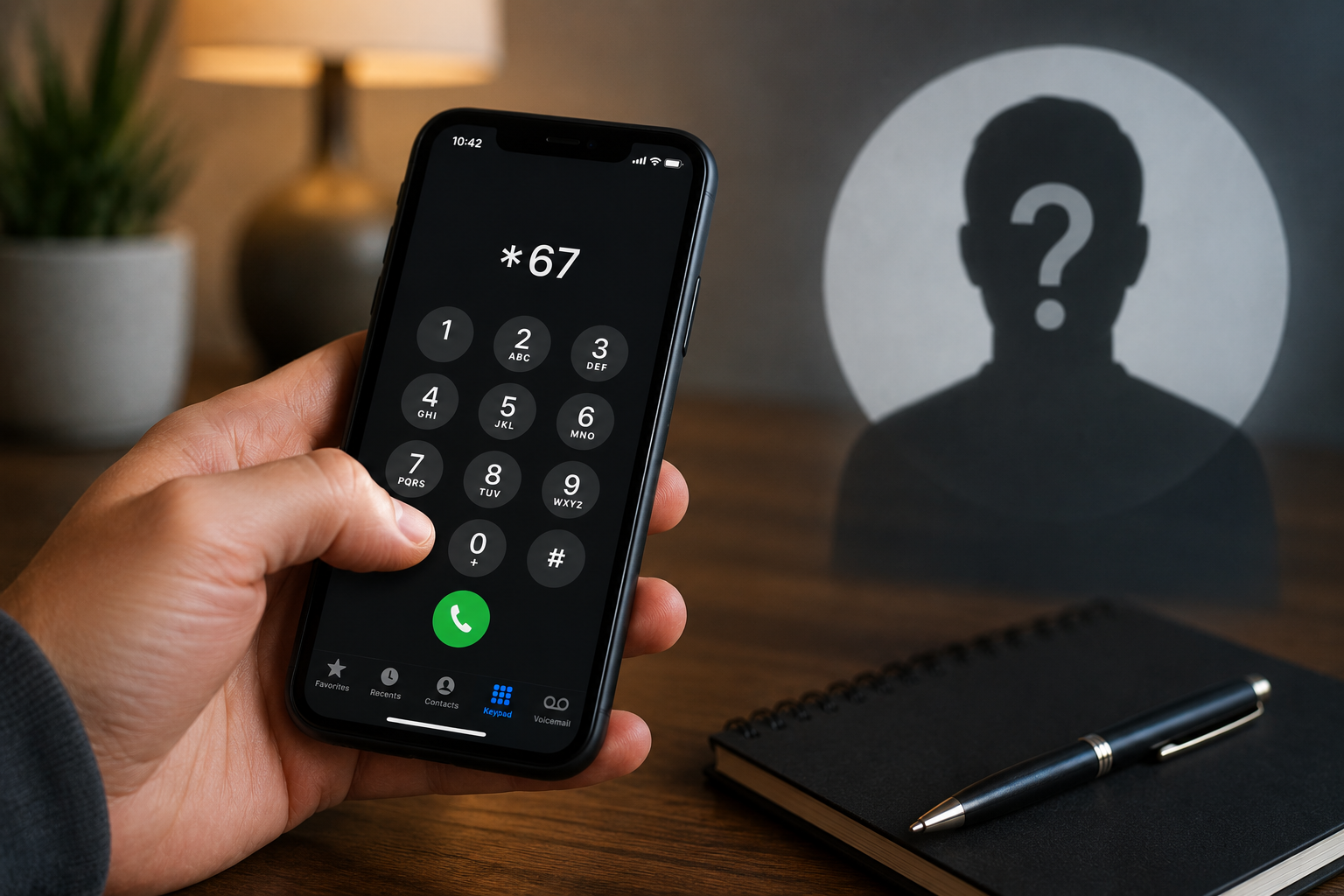
Dialing *67 right before a phone number blocks your caller ID for that one call, so the person you’re calling can’t see your number. Instead of your name and digits, their phone shows something like “Private,” “Blocked,” “Restricted,” or “No Caller ID.”
It’s a one-time, per-call trick — not a setting you turn on once. You have to dial *67 every single time you want to hide your number, and it resets the moment you hang up.
What star 67 means and where it came from
*67 is what phone companies call a vertical service code (also called a star code or feature code). These are short commands built directly into the telephone network — not an app, not a setting on your phone, but instructions the carrier reads before placing your call.
The code goes back to the landline era, when caller ID was new and people wanted a way to keep their number private on a call-by-call basis. It stuck around, and in 2026 the major U.S. carriers — AT&T, Verizon, and T-Mobile — still honor it on standard calls. So do most regional and prepaid carriers, though not always reliably (more on that below).
One quick disambiguation: *67 has nothing to do with area code 617 (that’s greater Boston), and it’s unrelated to the “67” that spread as teen slang and meme fodder online. If you searched “what does 67 mean” hoping for the phone trick, the star code is what you want — the meme is a separate thing entirely. If decoding shorthand is your thing, we keep a running set of plain-English guides like what ATP means in texting and what RN means in chat.
Key facts and context
Before you rely on *67, know what it can and can’t do:
- It works on mobile and landline calls to standard phone numbers.
- It does NOT work on toll-free numbers (800, 888, 877, etc.). Those lines pay for incoming calls, so they’re allowed to capture your number anyway.
- It does NOT hide your number from 911 or other emergency services. Emergency systems always see your location and number — by law.
- It often fails on international calls, since foreign carriers may not process the code.
- It does nothing for text messages. *67 only affects voice calls. To hide your number in a text, you’d need a separate app or a second line.
- The recipient can block you outright. If they’ve turned on Anonymous Call Rejection (*77 on their end), your *67 call won’t just show as private — it’ll be rejected before it rings. This is the single biggest reason people think “*67 isn’t working.”
- Some VoIP, prepaid, and regional carriers don’t fully honor it, so your number may leak through anyway.
What the recipient actually sees varies by their carrier and phone. “Private,” “Blocked,” “Restricted,” “Unknown,” and “No Caller ID” all mean the same thing — you dialed *67 or have caller ID turned off.
How to use *67 (step-by-step for iPhone and Android)
The dialing pattern is identical on every phone: *67, then the full phone number, then the call button. No spaces, no pause.
On an iPhone
- Open the Phone app and tap Keypad.
- Dial *67 followed immediately by the number — for example, *67 305-555-1234.
- Tap the green call button. Your number now shows as private for that call only.
On an Android (Samsung, Pixel, and others)
- Open the Phone app and go to the keypad.
- Enter *67 then the full number, e.g. *67 813-555-6789.
- Press call. The dialer layout differs slightly between Samsung’s One UI and Google’s Pixel dialer, but the sequence is the same.
How to make it permanent instead
Tired of dialing *67 every time? You have two options:
- iPhone: Go to Settings > Apps > Phone > Show My Caller ID and toggle it off. (On some iOS versions it’s Settings > Phone.) Note: some carriers hide or disable this toggle.
- Android: Open the Phone app, tap the three-dot menu > Settings > Supplementary services (or Call settings) > Show your caller ID > choose Hide number. The exact path varies by model.
- Carrier-level: Call AT&T, Verizon, or T-Mobile support and ask them to enable full-time per-line caller ID blocking. This is the most reliable method, and you can still dial *82 before a number to unblock your ID for a single call when you want to be seen.
*67 vs *69 vs other star codes
These codes get mixed up constantly. Here’s the difference at a glance:
| Code | What it does | Who uses it |
|---|---|---|
| *67 | Blocks your caller ID for one outgoing call | The caller |
| *69 | Last Call Return — redials or identifies your most recent incoming call | The person who was called |
| *77 | Anonymous Call Rejection — auto-blocks calls that hide their number | The recipient |
| *82 | Unblocks your caller ID for one call (reverses a permanent block) | The caller |
So *67 hides you, *69 tries to reveal whoever last called you, *77 rejects hidden callers, and *82 makes you visible on demand.
What star 67 is actually used for
Most people use *67 for ordinary privacy: replying to a classified-ad or Marketplace listing without handing over their personal number, calling back an unknown number without revealing theirs, or reaching a business or ex without their digits being saved. It’s a legitimate, everyday privacy tool.
Worth being clear: using *67 for personal calls is perfectly legal. What’s illegal is caller ID spoofing — faking a specific number to defraud or harm someone, which the federal Truth in Caller ID Act prohibits. Hiding your number is not the same as impersonating someone else’s.
A Florida note on returning unknown calls
Florida consistently ranks among the top states for robocall and scam-call complaints, so a lot of residents reach for *67 when calling back a number they don’t recognize. That’s reasonable — but if you’re the one getting the mystery calls, don’t assume a “Private” or “No Caller ID” call is automatically a scam; it may just be someone using *67 for privacy. You can register your line on the state’s Do Not Call list through the Florida Department of Agriculture and Consumer Services, and the FTC’s donotcall.gov, to cut down on the legitimate telemarketing traffic. For related reading, see our guides to the Bank of America fee settlement and other consumer alerts in our Technology and News coverage.
FAQs
What does *67 do on a cell phone?
On a cell phone, dialing *67 before the number blocks your caller ID for that single call, so the recipient sees “Private,” “Blocked,” or “No Caller ID” instead of your number. It works the same way on a landline. You have to redial *67 every time, since it doesn’t stay on.
Does *67 work on iPhone?
Yes. On an iPhone, open the Phone app’s keypad, dial *67 followed immediately by the full number (for example *67 305-555-1234), then tap call. For a permanent block, go to Settings > Phone > Show My Caller ID and toggle it off, though some carriers disable that option.
Why does *67 not work sometimes?
*67 fails on toll-free numbers, 911, and many international lines, and it does nothing for text messages. It also gets rejected entirely if the recipient has Anonymous Call Rejection (*77) turned on. Some prepaid, regional, and VoIP carriers don’t fully honor the code either.
What is the difference between *67 and *69?
*67 hides your caller ID on an outgoing call so the other person can’t see your number. *69 is Last Call Return — it redials or identifies the most recent number that called you. One conceals your identity going out; the other tries to reveal an identity coming in.
Is it illegal to block your number with *67?
No. Using *67 to hide your number on personal calls is completely legal. What’s illegal is caller ID spoofing — faking a specific number to defraud or harm someone, which the federal Truth in Caller ID Act bans. Simply hiding your number is not spoofing.
How do I hide my number without dialing *67 every time?
Set it permanently. On iPhone, turn off Settings > Phone > Show My Caller ID. On Android, use the Phone app’s Supplementary services settings to hide your number. Most reliable of all: ask your carrier to enable full-time caller ID blocking, then dial *82 before a number when you want to be seen.