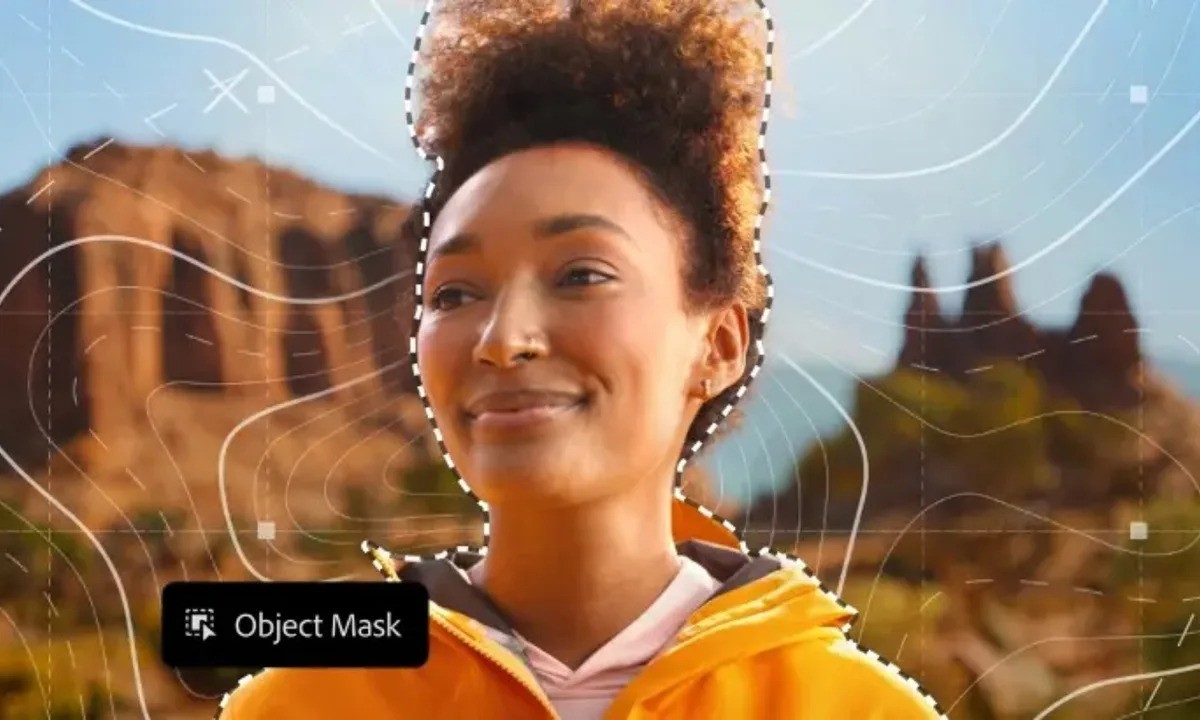
Creating precise masks around moving subjects no longer needs to be a slow, manual process.
Adobe has announced a major update to its professional video editing tools, introducing new AI-powered features in Adobe Premiere Pro and Adobe After Effects that aim to reduce repetitive editing work and make complex tasks more accessible.
After adding a dedicated workspace for short-form video creation in its mobile app last year, Adobe is now turning its attention back to desktop users. The latest update focuses heavily on smarter masking, faster object tracking, and tighter integration with Adobe’s broader creative ecosystem.
AI Object Mask makes complex selections easier
One of the most notable additions is a new Object Mask tool inside Premiere. Instead of drawing detailed outlines by hand, editors can now hover over a subject and generate a mask with a single click. The tool uses AI to identify people, objects, and motion within a clip, making it far easier to isolate subjects that move or change shape over time.
Once an initial selection is created, editors still have full control. Masks can be refined using quick lasso and rectangular selection tools, along with feathering and resizing options that allow for precise adjustments. The goal is not to remove creative control, but to eliminate the tedious setup that often comes before the real editing work begins.
Masking runs locally for speed and privacy
Adobe says the Object Mask feature is powered by a new assistive AI model developed in-house. Importantly, this model runs entirely on the user’s device. Video clips are not sent to the cloud for processing, which helps keep projects private and improves responsiveness during editing.
Because the AI operates locally, mask generation and tracking feel faster, especially on modern systems. Adobe also states that customer footage is not used to train its models, reinforcing the company’s long-standing stance on creative data protection. More details about Adobe’s approach to AI can be found on the official Adobe blog.
Shape Mask tools receive practical upgrades
In addition to the new Object Mask, Adobe has refreshed its existing Shape Mask tools. Editors can now create Ellipse, Rectangle, and Pen masks directly from the toolbar without digging through menus. Mask controls have also been refined, allowing for smoother movement, better tracking accuracy, and more predictable behavior when working with dynamic footage.
According to Adobe, the updated masking system can track subjects up to 20 times faster than before. This improvement is particularly useful for color grading, selective effects, and background isolation in longer or more complex video projects.
Better asset access and smoother workflows
The update also strengthens Premiere’s integration with other Adobe services. Editors can now import media directly from Firefly Boards, Adobe’s AI-powered creative canvas, making it easier to move ideas from concept to timeline. Access to Adobe Stock is also more tightly integrated, allowing users to browse and license assets without leaving the editor.
These changes are designed to reduce friction during the creative process, especially for teams working across multiple Adobe tools within the Adobe Creative Cloud environment.
After Effects gains new motion and 3D capabilities
Alongside the Premiere update, Adobe is also rolling out enhancements to After Effects. The motion graphics software now supports importing SVG files, which makes it easier to work with scalable vector artwork. Adobe has also introduced 3D parametric meshes, enabling creators to build and customize shapes such as cubes, spheres, cylinders, cones, torus forms, and planes directly inside the app.
These additions open the door to more advanced motion design and photorealistic visuals without requiring third-party plugins or external 3D software.
The new Premiere Pro and After Effects updates are already starting to roll out and can be installed through the Creative Cloud desktop app.